iOS 27 and Apple Intelligence: A developer’s take on WWDC26

Director, Engineering Practice
Key takeaways
- iOS 27 is a refinement-focused release: Apps built with Swift, SwiftUI and Apple's native frameworks get significant performance improvements automatically, with no code changes required. It's a signal that Apple is committed to what they shipped in iOS 26. Investing in a platform that follows through on its changes is a different proposition than one that doesn't.
- Apple Intelligence is fully delivered this cycle, with a new standalone Siri AI app that draws on personal context across emails, calendar, open apps and third-party integrations to surface what users need before they think to ask.
- Developers who have invested in App Intents, App Entities and Spotlight indexing will see their apps participate in Apple Intelligence automatically; those who haven't should treat it as a near-term priority.
- Apple's Private Cloud Compute routes sensitive tasks off-device without storing data or tying it to the user — and every software image is published for independent binary inspection, making their privacy posture verifiable rather than assumed.
- The ambient, context-aware AI experience Apple is shipping aligns with what users are already asking for: TELUS Digital research shows 83% of users want an AI presence that moves with them across devices and adapts with personal context.
83% of users surveyed by TELUS Digital want AI that is ambient and voice-forward, a presence that moves with them across devices, understands their preferences and anticipates what’s next. At WWDC26, Apple showed how they're building that future. After watching years of keynotes promising intelligent experiences that didn't quite land, iOS 27 is the release where it all comes together.
Here are the three things that caught my attention and what they mean if you’re building on Apple’s platform.
1. iOS 27 is a Snow Leopard-style release, and your app benefits automatically
In the Apple community, a “Snow Leopard release” implies that what you’re getting is performance, polish and refinement over net-new features. Having used the iOS 27 betas now, my main impression is that everything just feels nicer and more coherent. There's a running joke in the Apple community that resurfaces after every beta: “Safari feels snappier!” It became a cliché because it appeared in nearly every discussion thread, regardless of what Apple actually changed. It's usually one part genuine improvement and one part wishful thinking. iOS 27 turns that meme up to 11, because this time it's all genuine and applies across the whole OS.
Apple’s move last year was bold: They rolled out their first redesigned UI language (Liquid Glass) in over a decade and strengthened their first proprietary GenAI system (Apple Intelligence). iOS 27 is the follow-through. Apple's pattern isn't to ship and move on. They make ambitious changes and then deepen them. The refinement year is part of their cycle.
Take Liquid Glass as an example. It generated real debate when it launched. There were accessibility concerns, readability issues and inconsistencies at certain edge cases. iOS 27 tackles those directly: a new settings slider lets users adjust Liquid Glass anywhere from ultra-clear to fully tinted, and app icons have been sharpened.
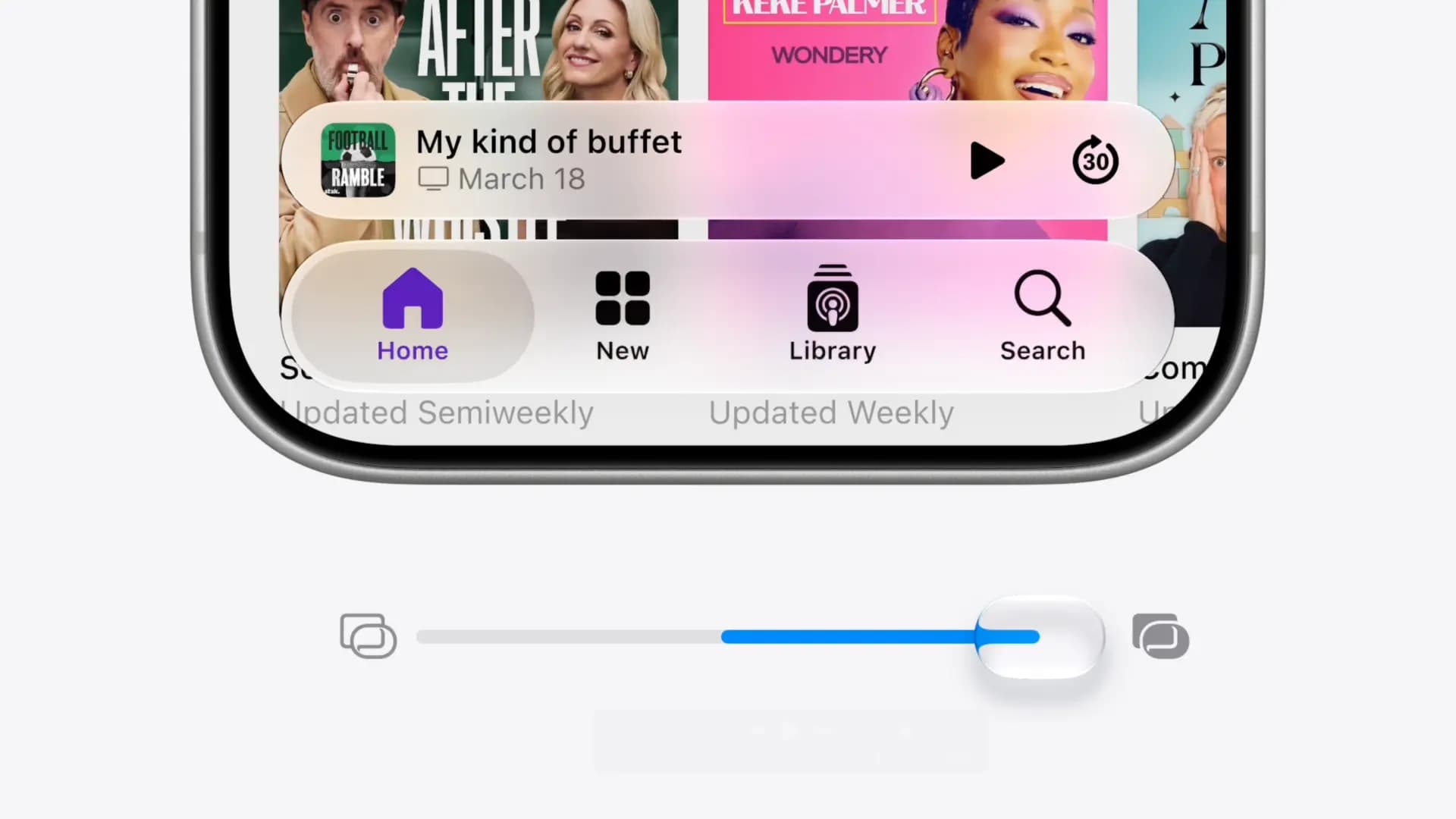
If you’ve already adopted Liquid Glass for your app, those refinements come for free, no code changes required on your end.
The same goes for performance. Apple is reporting apps launching up to 30% faster, and AirDrop transfers up to 80% faster. If you’re building with Swift, SwiftUI and Apple’s native frameworks, your app gets most of this automatically.
2. Apple Intelligence features are fully baked and ambient-forward by design
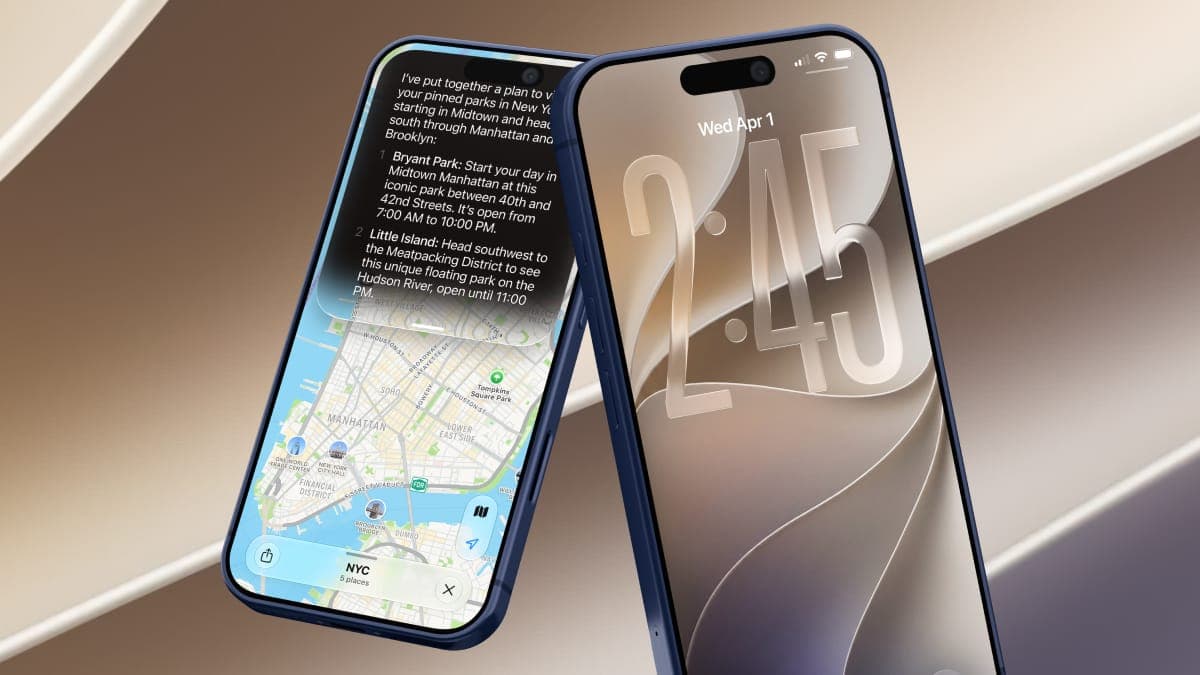
Apple has been promising a more capable, context-aware Siri. To bring that to life, they partnered with Google Gemini this cycle. The new standalone Siri AI app looks and feels a lot like what you’d expect from ChatGPT or Claude, with a persistent conversational layer, synced across devices via iCloud.
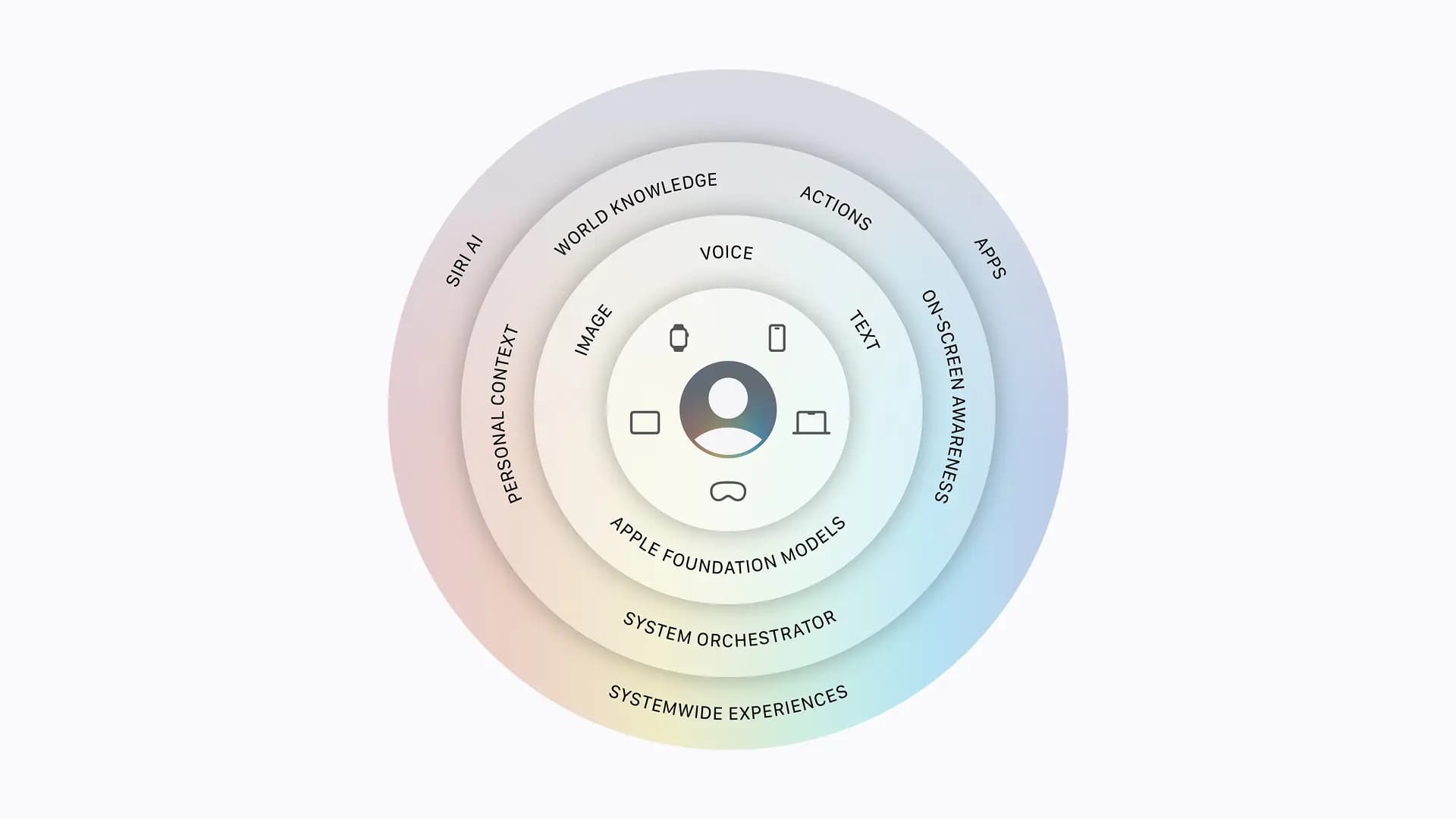
What’s interesting is how Apple Intelligence is deployed. As you might expect from Apple, it’s all in service of the optimal user experience. This isn’t about adding an “AI” button to your app. The system watches context, like email content, calendar events, open apps and browser behavior, to surface what’s relevant when it’s relevant.
For instance, if you call American Airlines to speak to a representative, your flight confirmation number surfaces automatically from your inbox so you’ll have it when you need it. Or if your friend texts you their coffee order, Siri finds the Starbucks app on your phone and adds it to your order. Without being asked, the system meets you where you are.
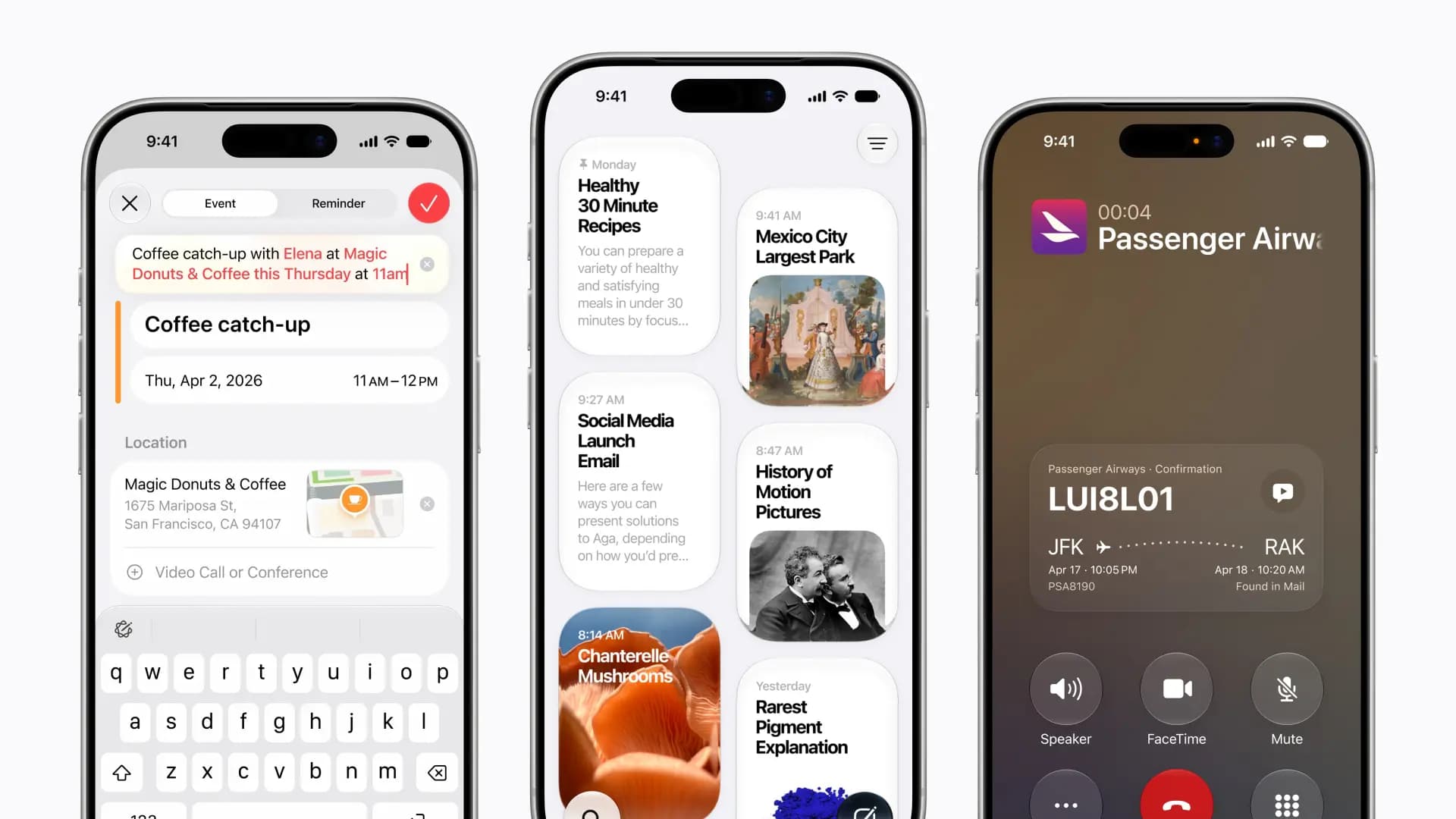
For developers who have already invested in App Intents, app entities and Spotlight indexing, their app participates in this system automatically. If you haven’t made that investment yet because you’ve been waiting to understand Apple’s commitment to these features, they’re making it clear that they’re all in. If you’re competing with an app that works seamlessly with this system, we’ve done the user research to confirm that users gravitate towards the one that feels like it knows them best.
What Apple is building toward with Siri AI is what users have been signaling they want. Building anticipatory interfaces is how your app earns a deeper connection with the people using it.
3. Privacy is an architecture, not a feature
That level of access to personal context only works if users trust where the data goes.
Apple’s privacy positioning isn’t new, but iOS 27 makes the architecture behind it concrete. By default, data stays on device. When a task requires more compute, it routes to Apple’s Private Cloud Compute and processes without being stored or tied back to your device. This isn't a “trust us” posture. Every production Private Cloud Compute software image is published for independent binary inspection, including the OS, applications and all relevant executables. Researchers can verify against a public transparency log.
That's a meaningfully different posture than most AI services, which offer privacy controls but put the burden on the user to find and activate them by toggling a setting here, manually deleting a chat there, with no independent way to verify that any of it actually happened.
Apple inverts that model. Privacy is the default, not the opt-in. For a growing segment of users, that distinction matters, especially in enterprise and regulated industries, like healthcare, where data residency and retention aren’t abstract concerns.
If you’re building products for those audiences, Apple’s approach provides a strong foundation. The trust is already established at the OS level. Your job is to honor it in the application layer.
Run your app on the developer beta today
At TELUS Digital, we build with Apple’s first-party tools, so we’re positioned to take advantage of them when they land. Every year, when WWDC comes around, our goal is to already be ready.
The developer beta is available right now. Run your app and see where it stands. If you want to make sure you’re ready for iOS 27 or want to start taking advantage of what Apple just shipped, reach out. This is the work we do every day.
Andrew Carter
Director, Engineering Practice
Andrew Carter is a director of engineering practice at TELUS Digital, where he focuses on helping engineering teams deliver great software while continuously improving how they work. With roots in iOS development dating back to the early days of the iPhone SDK, he now works across engineering organizations on AI adoption, developer experience and software delivery practices. A self-described Apple fanboy and frequent early adopter, Andrew enjoys experimenting with new technologies and sharing discoveries that make teams more effective and work a little more enjoyable.
Andrew Carter is a director of engineering practice at TELUS Digital, where he focuses on helping engineering teams deliver great software while continuously improving how they work. With roots in iOS development dating back to the early days of the iPhone SDK, he now works across engineering organizations on AI adoption, developer experience and software delivery practices. A self-described Apple fanboy and frequent early adopter, Andrew enjoys experimenting with new technologies and sharing discoveries that make teams more effective and work a little more enjoyable.